
The first AI-native flowchart platform
Flow it. Board it. Note it. Present it. Collaborate in real time.
Describe what you need. Watch AI build it. Drag, refine, and share with your team—no design skills required.
See It In Action
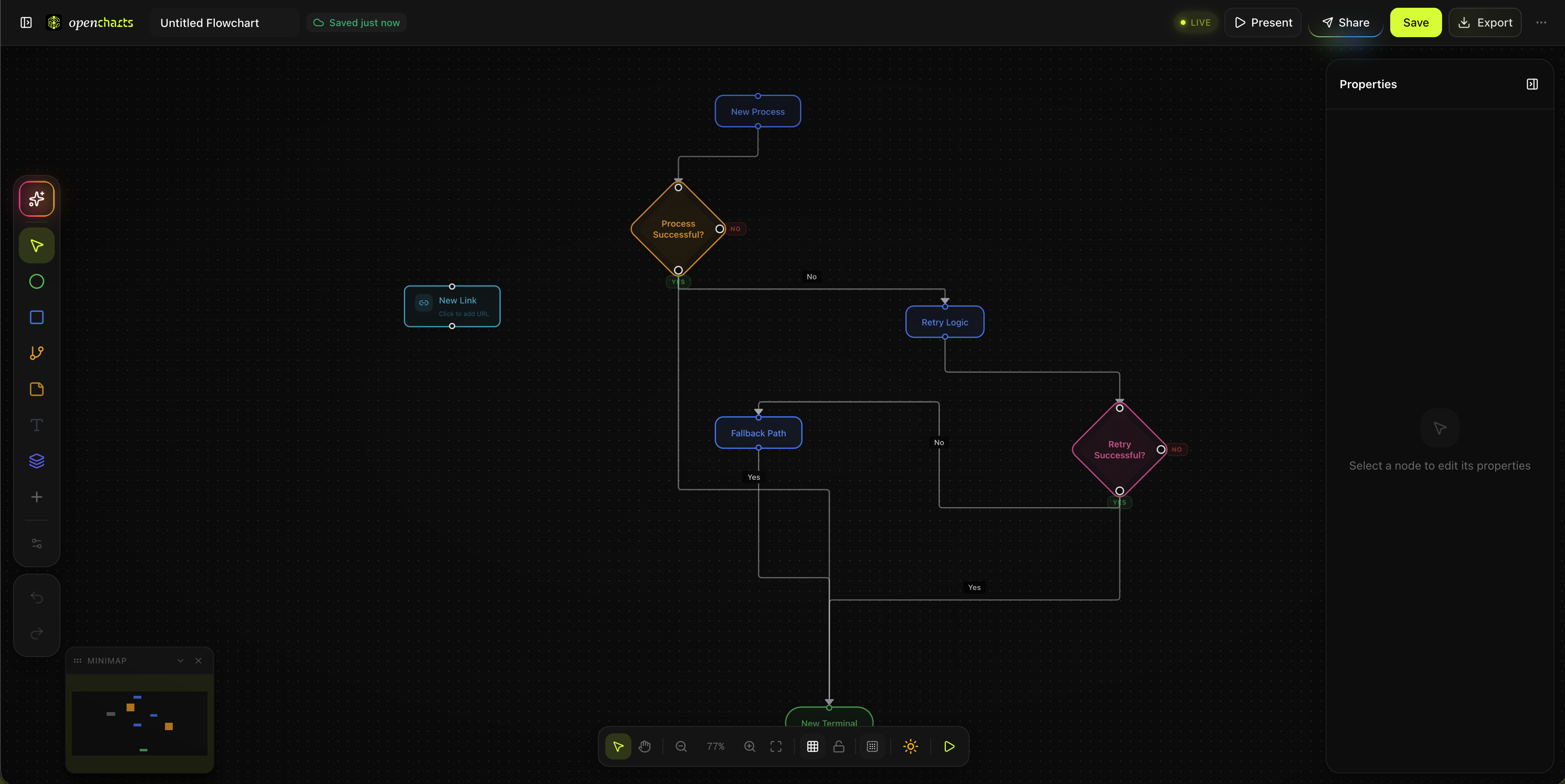
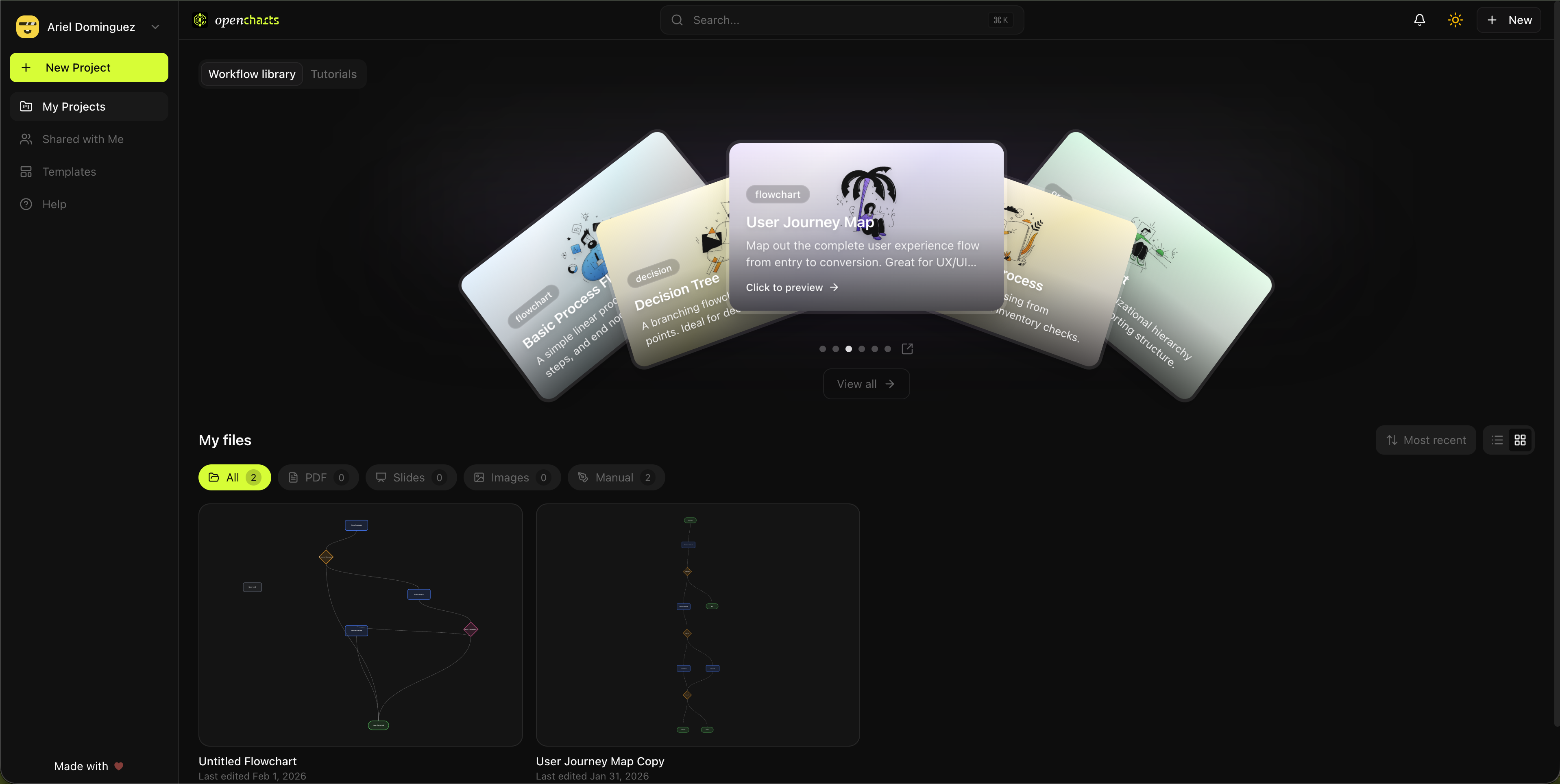
A beautiful canvas for your ideas
Experience a modern, intuitive interface designed for speed and creativity.
How It Works
From idea to diagram in seconds
OpenCharts combines the power of AI with an intuitive canvas to help you create professional diagrams faster than ever before.
Describe what you need
Type what you want in natural language—a flowchart, whiteboard layout, meeting notes, or a presentation. Upload a PDF and let AI extract it, or answer guided questions to skip the blank canvas.
AI builds it for you
Watch as AI creates nodes, connections, and layouts automatically. Switch between flowchart, whiteboard, and notes modes on the same canvas—or let AI pick the best format.
Customize, present, and share
Fine-tune with drag-and-drop editing, hit present for a cinematic node-by-node walkthrough, invite your team for real-time collaboration, or export as PNG, SVG, PDF, Mermaid, or JSON.
Meet Theo
One AI. Every tool. Zero switching.
The most powerful AI orchestrator on the market. Multi-layer processing that routes every task to the best engine automatically. 11 specialized modes, 20+ tools, and autonomous workflows. Not just a chatbot. An agent.
- Creates real projects in your workspace
- 11 specialized modes (not one-size-fits-all)
- Intelligent routing to the best engine per task
- Manages folders, teams, and sharing
- Autonomous workflows & scheduled actions
- Included in your plan — no extra cost
Other AI chatbots
- Generates text — you copy-paste elsewhere
- Single engine, single mode
- No project management
- No team workspace integration
- No autonomous background actions
- Separate $20/mo subscription
Create a user authentication flow with email verification
I'll create a complete authentication flow for you:
Generating 6 nodes with smart connections...
Voice mode
Talk to Theo in real-time. Create projects hands-free.
Deep research
Multi-step web research compiled into polished documents.
Code generation
Build full apps with live preview. Landing pages, dashboards, games.
Autonomous workflows
Install skills, set up hooks, multi-step automations.
Flashcards & podcasts
Turn any note into flashcards with quizzes, or a podcast.
Diagram → AI prompt
Export flowcharts as prompts for Cursor, Claude, Warp, or Codex.
11 Modes
All included in your free account. No separate AI subscription.
What You Can Create
One canvas, endless possibilities
Flowcharts, whiteboards, notes, presentations, and more—all on the same canvas with 20+ node types and AI assistance.
Flowcharts
Whiteboards
Notes
Presentations
System Architecture
Mind Maps
Org Charts
Gantt & Timelines
Collaboration
Collaborate like you're in the same room
Collaborate across flowcharts, whiteboards, notes, and presentations—all in real time. Share a link, see live cursors, leave comments, and build together.
Live cursors & presence
See who’s editing in real time. Cursors, selections, and node locking—changes sync in milliseconds.
Threaded comments
Leave comments on any node. Resolve, reply, and tag teammates—all without leaving the canvas.
Share without signup
Generate a link. Anyone can view or comment instantly—no account required. Set viewer, commenter, or editor permissions.
Team workspaces
Create organizations with roles, shared project libraries, built-in team chat, and activity feeds.
Templates
Don't start from scratch
120+ professionally designed templates across flowcharts, whiteboards, notes, and presentations. Pick one, make it yours, and let Theo handle the rest.
Start in seconds, not hours
Pick a template, customize it, and ship. Every template is pre-structured with best-practice layouts.
AI-enhanced, not static
Theo can regenerate, extend, and adapt any template to your specific needs. Describe what's different and Theo rebuilds it.
Community-powered
Browse templates created by the community, fork and remix them, or publish your own. The best surface through upvotes and usage.
Chrome Extension
Take OpenCharts everywhere you browse
Clip web content, screenshots, and images directly into your notes—with AI smarts built in.
Full Page Clip
Extract entire articles as clean Markdown with auto-detected metadata.
Selection Clip
Highlight text on any page and clip just that portion.
Multi-Passage Highlights
Annotate with 5 colors. Highlights persist across page revisits.
Screenshot Capture
Capture the viewport or drag-select a custom region.
Image Grab
Right-click any image to save it directly into your notes.
AI Actions
Summarize, extract takeaways, pull action items, or run custom prompts.
Offline Support
Clips queue automatically when offline and sync when you’re back.
Keyboard Shortcuts
Quick-access shortcuts for clipping, highlighting, and more.
Why Teams Switch
One workspace instead of three subscriptions
Everything your team needs, bundled and priced fairly.
All-in-one
Flowcharts, whiteboards, notes, presentations, file storage, team chat, and a community forum—one workspace, one login.
AI-native
AI generation is built into every canvas from day one—included on every plan, even Free. No bolt-on add-ons or separate subscriptions.
3–5× cheaper
Miro + Notion + Google Slides costs $25+/user/mo across three subscriptions. OpenCharts Unlimited gives you everything for $24.99/mo total.
Free
$0
Free forever — no credit card required
- Theo AI with all 11 modes
- All canvas types
- 120+ templates
- Real-time collaboration
- Chrome extension
- Community access
Unlimited
$24.99/mo
Total — not per user
- Everything in Free
- Expanded limits & storage
- Priority features
- Advanced team management
- 3–5× cheaper than Miro+Notion+Slides
Features
Everything you need to visualize ideas
One tool that replaces three. Flowcharts, whiteboards, notes, and presentations—all on one AI-powered canvas with real-time collaboration.
AI-powered flowcharts in seconds
Describe what you need in plain English and watch AI build structured, connected flowcharts instantly. 20+ node types including process flows, decision trees, and system architecture diagrams—with smart connectors that automatically route around nodes.
- Natural language → flowchart generation
- Smart auto-routing connectors
- 20+ node types & templates
- Decision trees, SWOT grids, Gantt charts
- Export as Mermaid, JSON, or pseudo-code
Use Cases
Built for every team
Whether you're mapping processes, planning projects, or documenting systems, OpenCharts adapts to your workflow.
Engineering Teams
Document system architecture, API flows, and technical decisions with AI assistance.
Product Teams
Map user journeys, create wireflows, and visualize product roadmaps.
Business Operations
Streamline workflows, document SOPs, and optimize business processes.
Education & Training
Create visual learning materials, explain concepts, and build knowledge bases.
Ready to visualize your ideas?
Join thousands of creators turning ideas into visuals—free forever, no credit card required.
Launch OpenCharts